Using an LLM to turn request logs into Cloudflare WAF rules
Thirty days of noisy request logs from an outside project, an LLM as analyst, and a small Cloudflare WAF — scanner garbage at the origin went from dozens a day to zero.
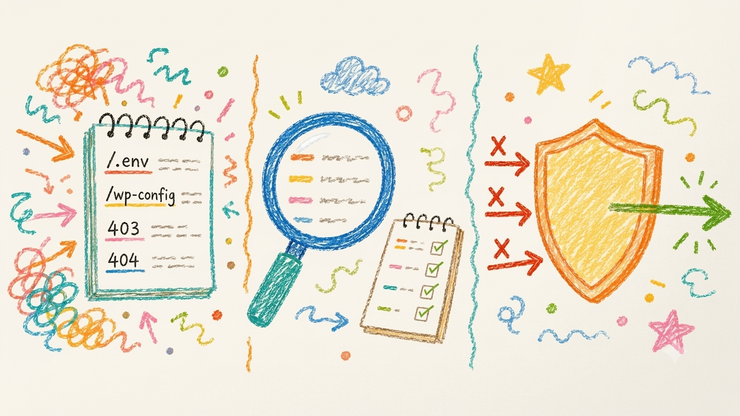
I was looking at traffic on an outside project and realising most of it was not people. Bots and crawlers probing for WordPress, .env files, PHP shells — paths that project does not serve and never will. Google and Bing I can live with. The rest still hit the origin and wasted cycles for nothing. The fix ended up being a small set of Cloudflare WAF rules — but first I had to understand what a month of that traffic actually looked like.
Contents
- Analyse thirty days of logs with an LLM
- Turn the findings into Cloudflare WAF rules
- Results: what the Cloudflare WAF actually blocked
- References
Analyse thirty days of logs with an LLM
I exported roughly thirty days of requests: path, user agent, status, timestamp. I could have done the whole job by hand — load the rows into BigQuery, write a few SQL queries, skim the top paths and user agents, rinse and repeat. That works. It is also slow once you are staring at a month of noisy traffic and trying to notice the odd clusters, not just the obvious /.env hits.
So I pasted a chunk into an LLM and told it to act like an analyst: cluster the junk, flag what looks like scanners, and suggest WAF rules — blocks or challenges — that would not kneecap verified crawlers. Same raw data; much less evening spent grepping. And with that volume, the model tends to surface patterns I would have got to eventually, but not on the first pass — quiet UA families, ASN shapes, the fake search-engine crawlers that fail verification.
A few redacted rows, so you can see the flavour:
| Timestamp (UTC) | Path | User agent (trimmed) | Status |
|---|---|---|---|
| 2026-06-12T03:14:22Z | /.env |
Go-http-client/1.1 |
403 |
| 2026-06-18T11:02:08Z | /wp-config.php |
Mozilla/5.0 … Googlebot/2.1 |
403 |
| 2026-06-21T19:44:51Z | /wso-2025.php |
Mozilla/5.0 (iPhone …) Safari/604.1 |
404 |
| 2026-06-28T07:15:03Z | /WordPress |
python-requests/2.31.0 |
404 |
| 2026-07-08T14:33:19Z | /api/env |
Mozilla/5.0 … DeepSeekBot |
404 |
The buckets it came back with matched what I recognised in the sample: lazy library UAs (Go-http-client, curl, python), data-centre IPs wearing browser costumes, credential hunters, and search-engine impersonators that failed Cloudflare’s bot verification. I already half-knew this was in the logs. Seeing a month of it labelled in one sitting made it easier to decide what to write as rules.
Turn the findings into Cloudflare WAF rules
Next I asked the same model to draft Cloudflare WAF custom rules from those patterns. I did not ship the first draft. Too many overlapping ideas, a few things that would have challenged honest traffic, and more rules than I wanted to babysit. What I kept was five slots:
- Block known scanner paths. Anything sniffing for
.env,.php,/wp-, secrets-looking filenames, and the usual WordPress / PHP shell targets. That project does not run WordPress and does not serve those files, so there is no polite answer — just refuse them at the edge. - Managed Challenge on scripty or empty user agents.
Go-http-client, barecurl,python-requests, blank UA strings. Gated withnot cf.client.botso verified crawlers still pass. - Managed Challenge on common data-centre ASNs. Same idea for traffic that looks like it lives in a hosting network rather than on a phone or laptop. Same verified-bot gate.
- Block bot impersonators. Famous crawler user agents when
cf.client.botis false. If something claims to be Googlebot and Cloudflare has not verified the IP, I do not want it at the origin. - One slot reserved for myself. Skip my own monitoring IPs (and anything else I need to reach the origin without a challenge). Locking yourself out of your own health checks is a special kind of own goal.
The clause that matters across 2–4 is cf.client.bot. Cloudflare decides “good bot” by IP, not by the string in the User-Agent header. Challenge on UA alone and you will eventually trip something you meant to allow.
Path exclusions mattered more than I expected. Static assets and public .txt files need to stay reachable for honest non-browser clients (image fetchers, ownership checks). Without those exclusions you get a silent 403 with cf-mitigated: challenge and spend an evening wondering why a simple fetch “broke.”
Results: what the Cloudflare WAF actually blocked
After the rules had been live a couple of days, origin logs looked like this:
| Metric | Before | After |
|---|---|---|
Classic scanner probes at origin (.php, .env, /wp-, …) |
dozens per day | zero |
Scripty UAs at origin (curl, Go, Python, …) |
present | zero |
| High-volume empty-UA burst | would reach origin | absorbed at the edge (Cloudflare Bot Fight Mode) |
Five Cloudflare WAF rules, live for a couple of days: dozens of scanner probes a day at the origin, then none in that window. What was left looked like declared crawlers and actual visitors.
The other benefit was speed. End to end — paste logs, cluster the junk, draft five WAF rules, trim what would hurt honest traffic — a usable first version landed in an afternoon. Doing the same by hand is not harder in principle, but it is slower: more time in the logs before the patterns settle, then a stretch getting fluent in Cloudflare’s rules language before you trust what you are about to ship.
I would not call this “secured by AI”. The model made a month of logs readable and a first rule draft worth editing. The Cloudflare WAF did the enforcing. I still had to read the draft, cut the dumb bits, and fix the exclusions when something legitimate got challenged. This is edge security hygiene, not a security programme — but it is cheap, and it works.